ridealong Open source · self-hosted · MIT

Your agents ride along
in your browser.

One logged-in Chrome on your server for you and your AI agents. Sign in to your sites once. Agents work as you, each in its own tabs, and you step in when they hit a captcha.

$ ridealong setup

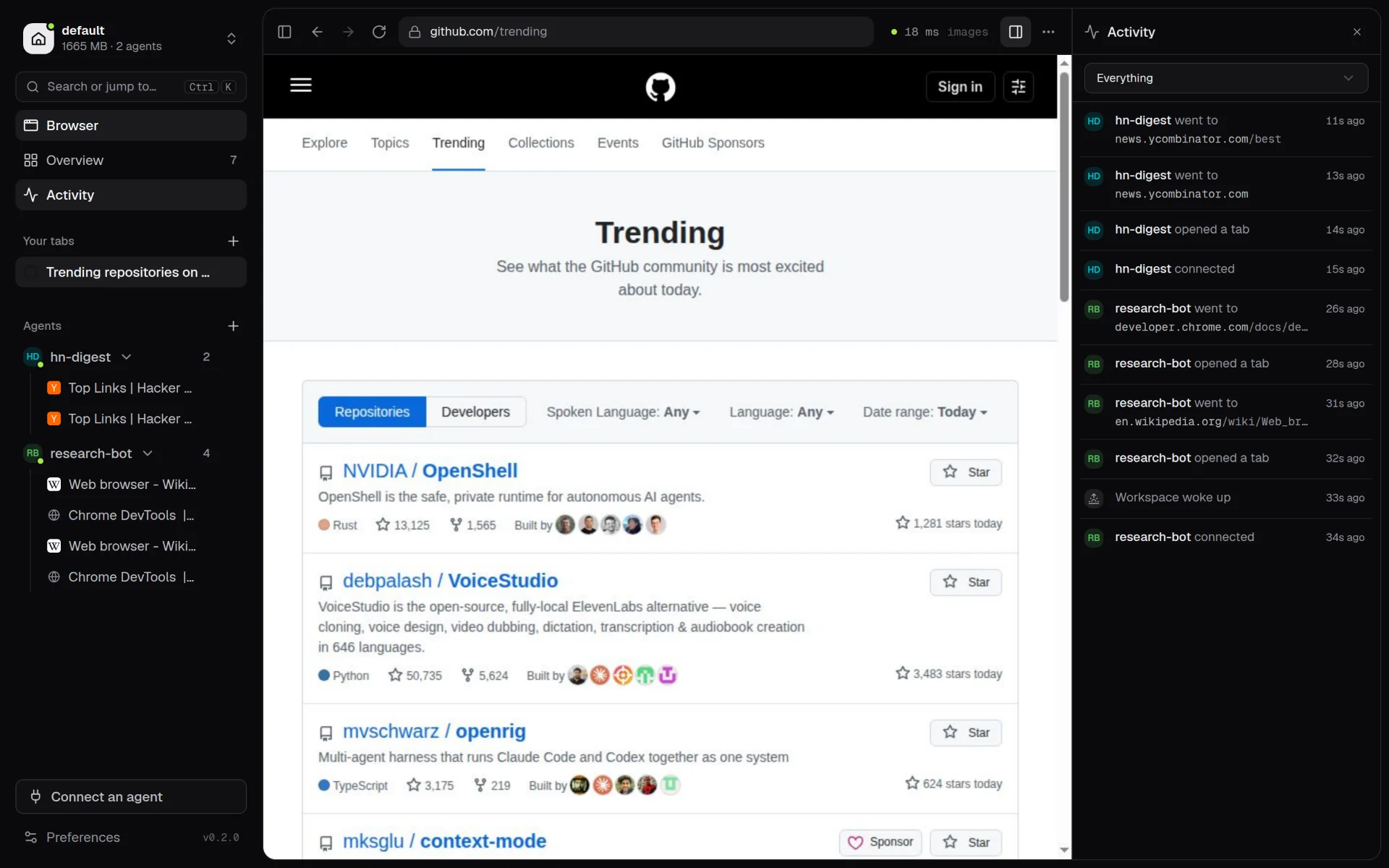
The ridealong viewer: your tab, two agents' tabs grouped in the sidebar, and the live activity feed

Watch the 42-second launch video with sound or in square.

How it works

Three steps. Then it stays out of the way.

  1. 01

    Sign in once

    Open the viewer from any browser or your phone. Log in to Gmail, GitHub, LinkedIn, your internal tools. The sessions live in a real Chrome on your server.

    http://127.0.0.1:8083
  2. 02

    Connect your agents

    Point Claude Code, Codex, any MCP client, Playwright or Puppeteer at the agent port. Each agent works as you, but only sees the tabs it opened.

    ws://127.0.0.1:9230/default/research-bot
  3. 03

    Step in when needed

    Captcha, 2FA prompt, "is this you?" page. Open the viewer, answer it, and the agent carries on in the same tab.

    you are watching research-bot

Features

A shared browser that knows who opened what.

  • Per-agent tabs

    Sign in once. Agents work as you, each in its own tabs. They can't see or touch your tabs or each other's.

  • You can step in

    When an agent hits a captcha, 2FA prompt or "is this you?" page, you open the viewer and answer it.

  • Workspaces that sleep

    Separate profiles like personal and work. Idle ones stop Chrome after 10 minutes and use no RAM, then wake in about 2 seconds with tabs restored.

  • Fast on slow links

    A new frame is sent only once the last one arrived, so there is never a backlog. 56 ms median picture age on a 4 Mbit/s link. Optional H.264 video mode.

  • Works on a phone

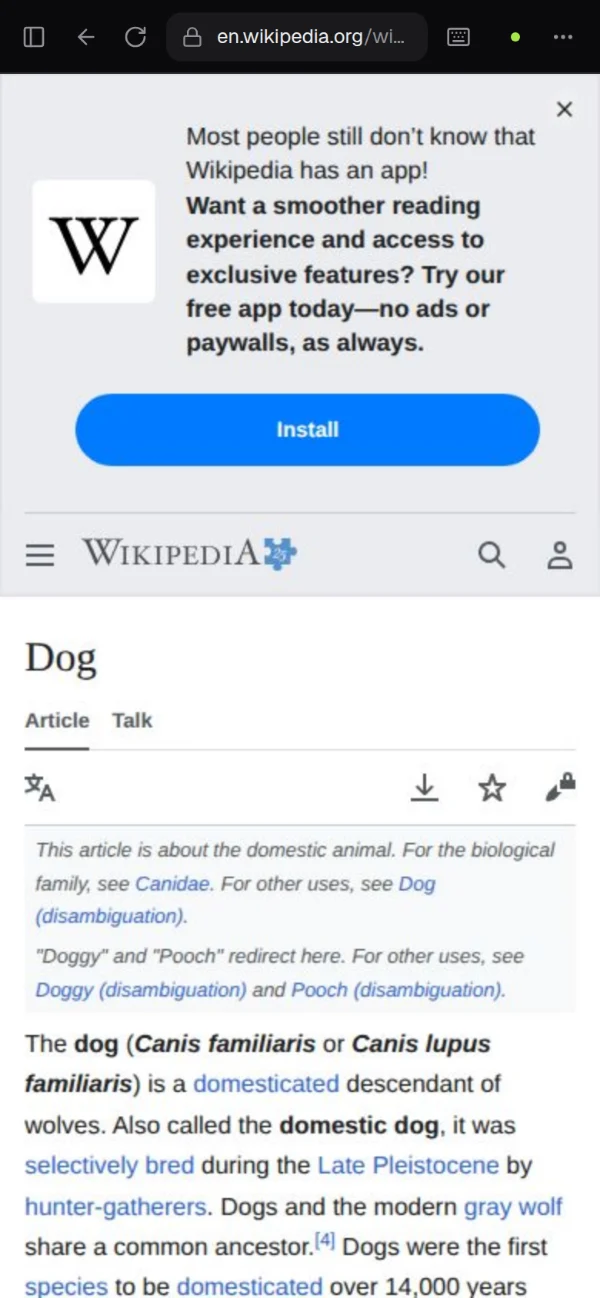
    Tabs render at your screen's size, sites get a mobile browser, and you get touch scrolling and an on-screen keyboard.

  • Activity feed

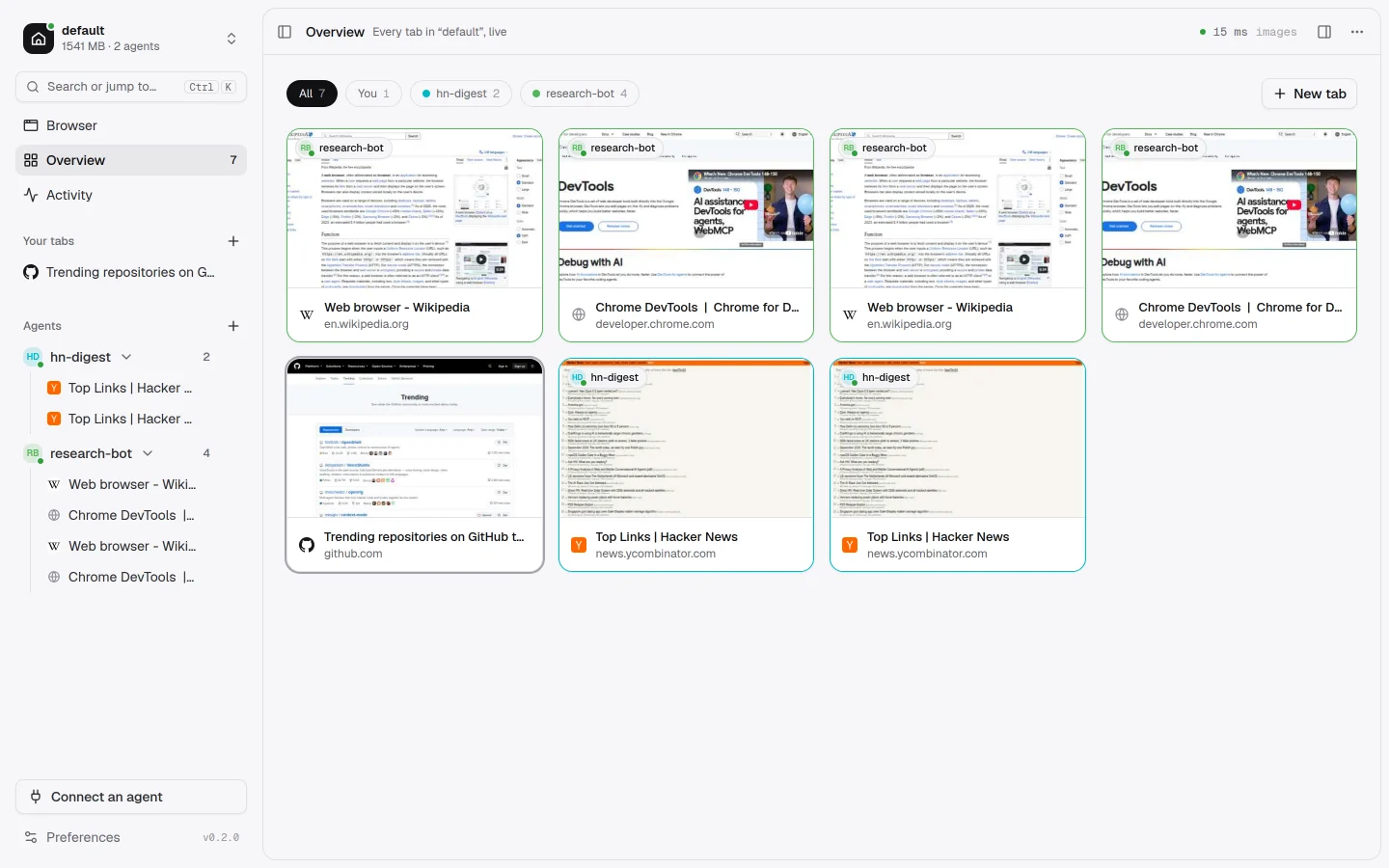
    Watch each agent connect, open tabs and browse. An overview shows every tab as a live thumbnail. Disconnect, close or block any agent.

  • Files both ways

    When a page asks for a file, pick it on your device. Anything the browser downloads, yours or an agent's, can be saved to your device.

  • Ctrl K to anywhere

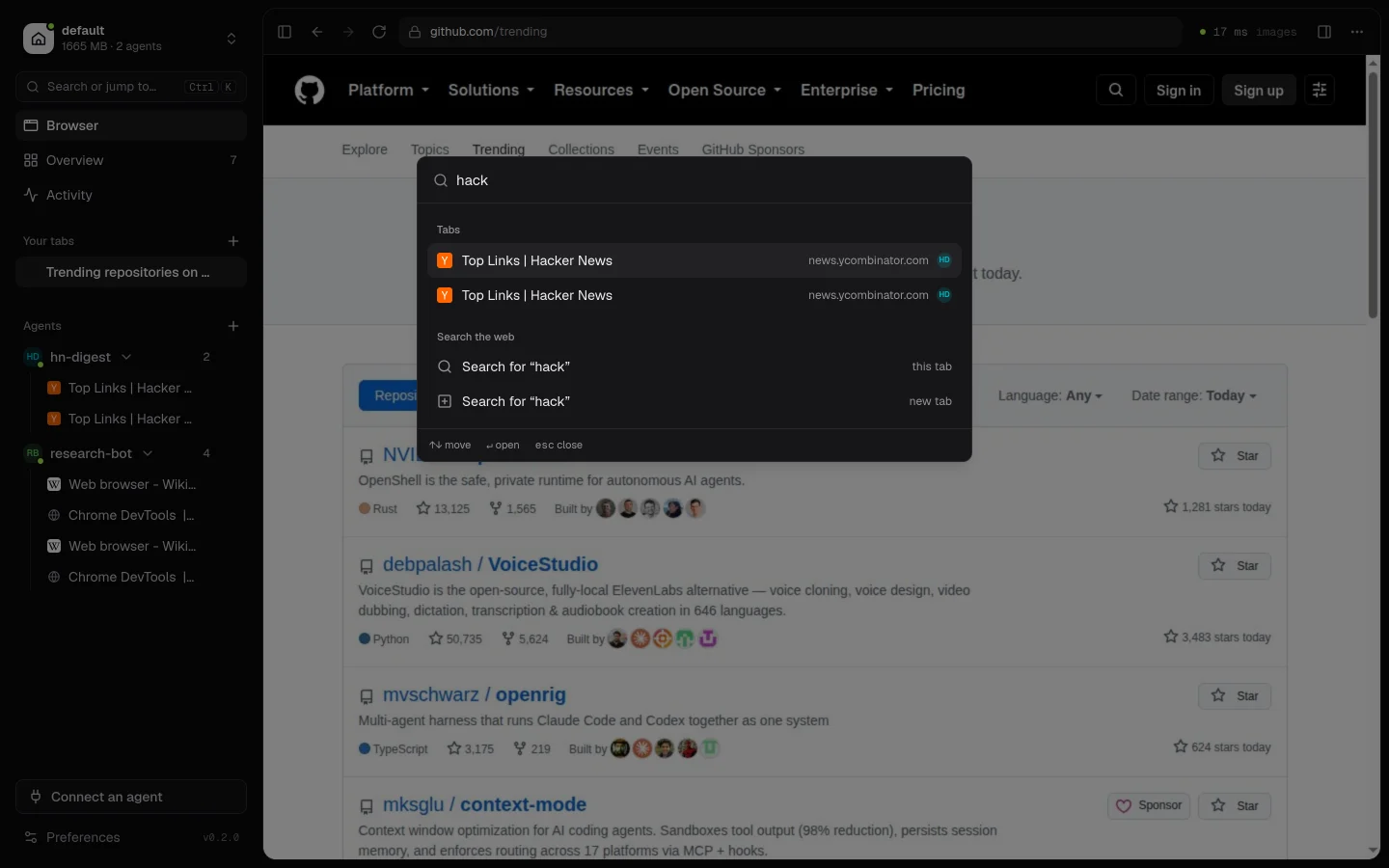
    Jump to any tab or workspace, open an address or run a command. Light and dark themes.

  • No root needed

    A Node process plus Xvfb. Run it as a normal user under systemd, or in Docker.

Connect an agent

Anything that speaks CDP.

Click Connect an agent in the viewer, or run ridealong connect <agent-name>. You get ready-to-paste setup and a live check that tells you the moment your agent connects.

<agent>
Any name you choose. It labels the agent's tabs and scopes what it can see.
<workspace>
Which profile, and so which logins, the agent uses. Created if missing, woken if asleep.
# Claude Code (or any MCP client) via Chrome DevTools MCP
claude mcp add browser -- npx -y chrome-devtools-mcp@latest \
  --wsEndpoint ws://127.0.0.1:9230/default/research-bot/devtools/browser

Endpoint ws://127.0.0.1:9230/<workspace>/<agent>/devtools/browser

Install

Self-host in one command.

On a Linux server or VM with Node 20+, or anywhere Docker runs.

npm

recommended
sudo apt-get install -y xvfb ffmpeg      # ffmpeg is optional (video mode)
npm install -g https://github.com/killerz3/ridealong/releases/latest/download/ridealong.tgz
ridealong setup

setup checks your system, downloads Chromium if needed (about 170 MB, no root), sets a viewer password and offers to install a systemd user service.

Docker

git clone https://github.com/killerz3/ridealong && cd ridealong
echo "RIDEALONG_PASSWORD=$(openssl rand -base64 18)" > .env
docker compose up -d

Both ports are published on 127.0.0.1 only. Profiles live in the ridealong-data volume.

Then open http://127.0.0.1:8083 and sign in.
On a remote server, tunnel with ssh -L 8083:127.0.0.1:8083 your-server or put the viewer behind Cloudflare Tunnel or Caddy.

The honest security note

  • The viewer is password protected with an HttpOnly, SameSite=Strict session and same-origin websockets. Put Cloudflare Access or your VPN in front of it anyway.
  • The agent port has no authentication. It listens on localhost; agents run on the same machine or reach it over an SSH tunnel. Treat it like a password manager that is already unlocked, and never expose port 9230.
  • Tab isolation stops agents tripping over each other. It is not a security boundary: every agent is logged in as you everywhere. Only connect agents you trust.
  • Where Chrome's sandbox can't run (root, containers, some Ubuntu setups), Chrome runs with --no-sandbox.

FAQ

Questions

Which agents work with it?

Anything that speaks the Chrome DevTools Protocol. The viewer has ready-made setup for Claude Code, Codex, any MCP client (via Chrome DevTools MCP), Playwright and Puppeteer.

What happens when a workspace goes to sleep?

After 10 idle minutes (configurable per workspace, or never) Chrome saves its session and exits, so the workspace uses no memory. It wakes in about 2 seconds when you select it or an agent connects, and agents get their tabs back. Chrome DevTools MCP reconnects on the next tool call.

Can my agents see my tabs, or each other's?

No. The agent proxy records which agent created which tab and hides every other tab from that agent. Popups inherit their opener's owner. This keeps agents from tripping over each other, but it is not a security boundary: only connect agents you trust.

Can I reach it from outside my server?

Expose only the viewer port (8083), for example through Cloudflare Tunnel with Access, or Caddy for automatic HTTPS. Never expose the agent port (9230): anything that can reach it is signed in as you everywhere.

Was this called tabkennel?

Yes. ridealong is the new name for tabkennel. Same project, same author, MIT licensed.

Give your agents a seat.